HOWTO: Use WinSCP to move files to and from your cloud VM
Could you have googled this or asked Claude? Yes. But you didn’t and they don’t have nice screenshots.
Regardless of which cloud provider you use, when provisioning a new Virtual Machine you will be presented with a choice.

or be bad and choose Password. Don’t be bad.
You likely saved this file in your .ssh folder in your C:\Users\yourname home directory.
If, at some point, you need to transfer files to/from that VM and are also a Windows user, WinSCP will possibly be your tool of choice.
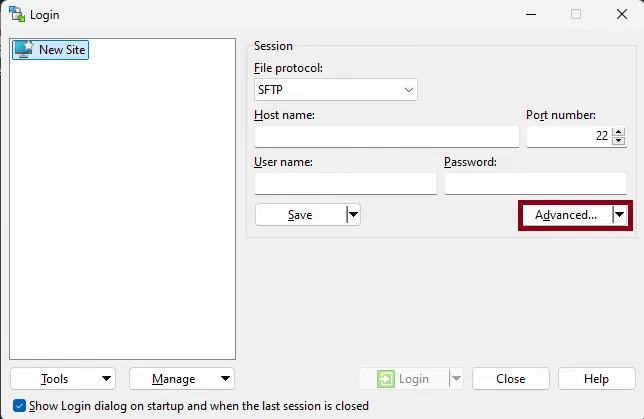
In order to use the SSH Key you will first need to select the Advanced Option when creating a new Site
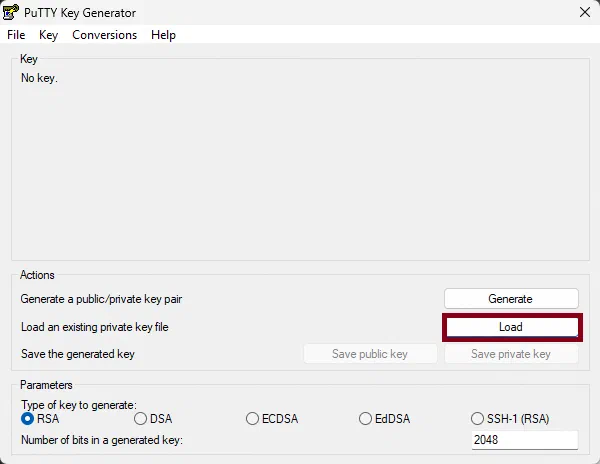
Run the PuTTYGen tool and click the Load button.
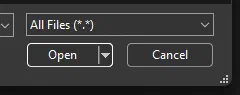
Navigate to your C:\Users\yourname\.ssh folder and remember to change the file type to *.*.
If the file loaded correctly, you should now be able to save the private key.
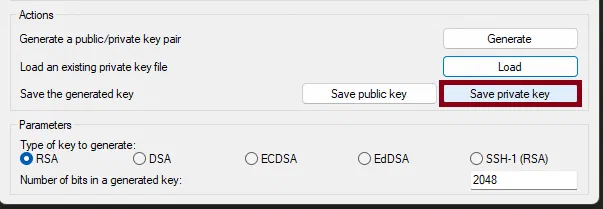
WinSCP is nice enough to automatically configure the current connection to use the new key. Make sure it is saved in a secure location.